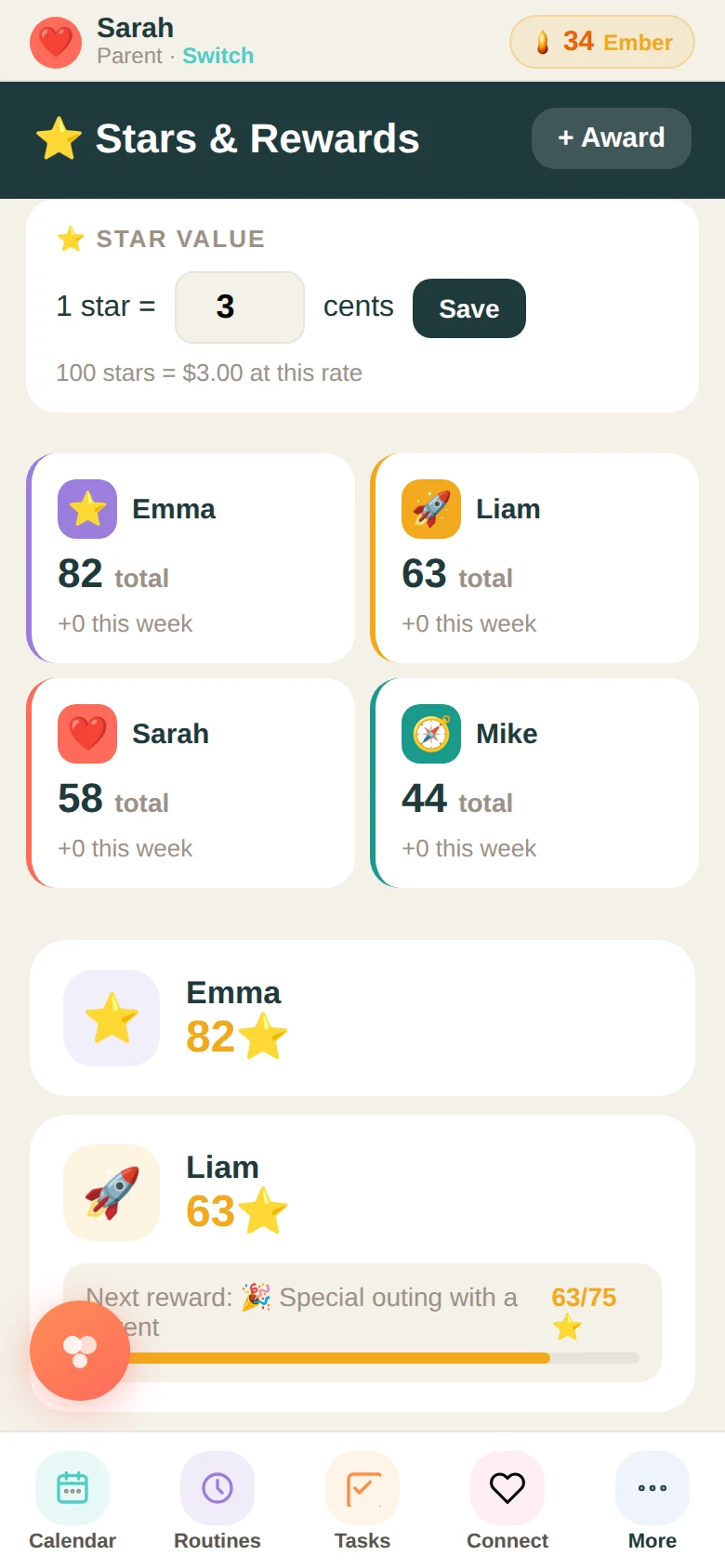
Most kids aren't unmotivated. They just can't see the connection between what they do today and anything that matters. When the link between effort and reward is invisible, why try harder? The Stars system makes that link visible.
Every time a child completes a routine, checks in at Campfire, finishes a chore, fills out their weekly pulse, or earns recognition from a parent, they receive stars. Stars accumulate in their balance. They can spend them in the Reward Store on things parents have set up — screen time, a small treat, a family outing, whatever fits your household.
How parents set it up
From the Stars tab, parents control what earns stars and how many. You can set the star value for each activity — Campfire check-ins, pulse completions, full-family participation bonuses. You can award stars manually for things that aren't in the system: a kind thing a kid did, a hard week they pushed through, a moment you just want to mark.
You can also remove stars as a consequence — if a chore was skipped, a rule was broken, or accountability is part of how your family works. The system supports both sides.
The Reward Store
Parents build the reward store. You add items with a star cost and an emoji — 30 stars for extra screen time, 50 for choosing dinner, 100 for a special outing. Kids browse the store, redeem what they've earned, and show you a redemption receipt. You confirm it happened. The stars adjust.
The store makes the system feel like it has stakes. There's something to work toward, something specific and chosen by the kid themselves. That's different from a sticker chart with a vague prize at the end.
The leaderboard
The stars tab shows a family leaderboard — who has the most stars, how each kid's balance has moved this week. It's not designed to create rivalry. It's designed to create visibility. Kids notice where they are. Most of the time, they want to move up.
What parents notice over time: kids start asking what they can do to earn stars, instead of being asked to do things. That inversion is the goal.
Ready to try it with your family?
Everything in this guide is already built into Family Basecamp — free to start, no card needed.
Build Your Legacy →