Every parent knows what it feels like to be the alarm system. Not because you want to be, but because without a system, the role falls to whoever cares most. You remind. You check. You remind again. The kids get out the door, but you've spent twenty minutes of your morning doing a job a checklist could do.
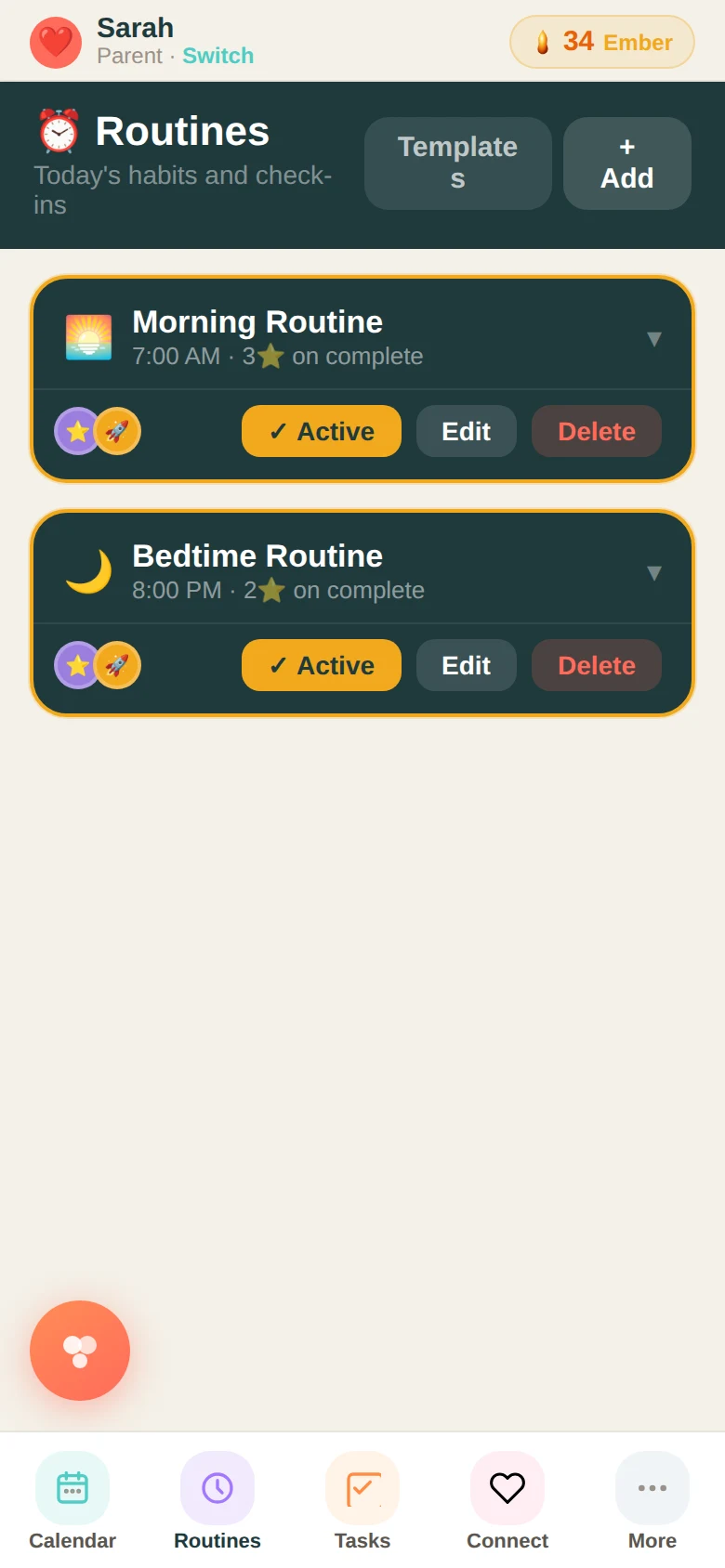
The Routines feature in Family Basecamp lets you build any routine — morning, evening, after school, weekend — and assign it to anyone in the family. Each step is listed in order. Kids see exactly what comes next, tap each item as they complete it, and earn stars when the routine is done. No one has to ask. No one has to chase.
How a routine gets built
When you create a routine, you give it a name, a time, an emoji, and a list of steps in the order they need to happen. You pick who it belongs to — one kid, all kids, everyone. When you activate it, it appears in each assigned person's view every day at the right time.
Steps can be simple: make bed, brush teeth, get dressed, eat breakfast, pack bag. They can also be specific to your family — instrument on Wednesdays, library books on Fridays, vitamins every morning. You can even mark individual steps as day-specific so they only appear on the days they apply.
What parents notice first
The thing most parents notice isn't the productivity. It's the quiet. When the routine lives in the app instead of in your head, the morning conversations change. You're not running through the checklist out loud anymore. You might actually talk about something else.
Kids notice something different: ownership. When it's their checklist — their steps to check off, their stars to earn — the task stops feeling like something done to them. It becomes something they manage. That shift takes time, but it starts the first week.
Activating and editing
As a parent, you'll see each routine in the Routines tab with an Activate button. Tap it and it goes live for everyone assigned. You can edit any routine at any time — add steps, remove steps, change the time, change who it applies to. Nothing is locked in.
If a family member completes every step, their stars are awarded automatically. If they miss it, you see that too. No confrontation needed — the data is just there when you check in.
It doesn't replace the relationship. It replaces the logistics. That's what it's designed to do.
Ready to try it with your family?
Everything in this guide is already built into Family Basecamp — free to start, no card needed.
Build Your Legacy →