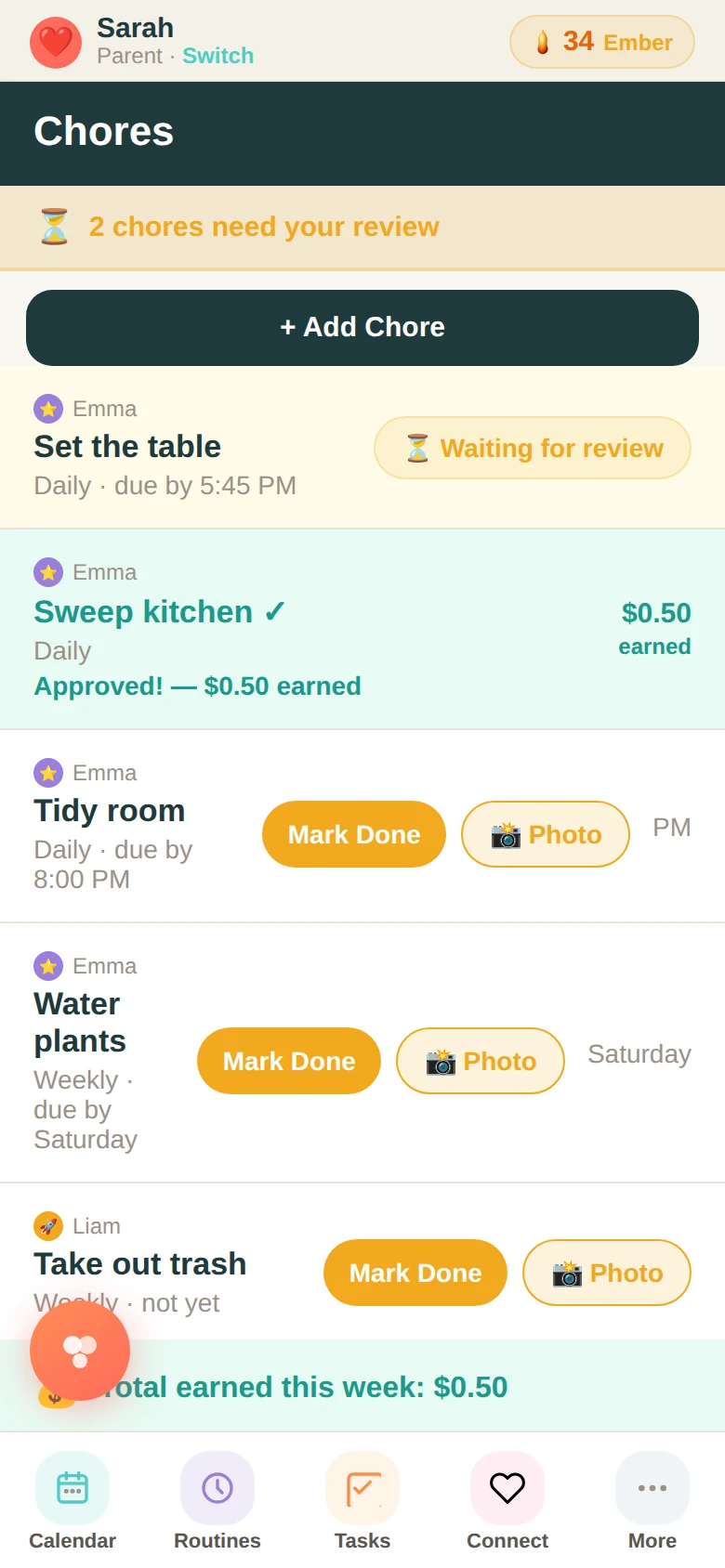
The problem with most chore systems isn't the chores. It's that the parent ends up owning the system — tracking what got done, remembering to check, reminding, following up, occasionally just doing it themselves because it's faster. The kids are doing the work, but you're doing the management.
Family Basecamp flips that. You assign a chore to a family member — with a frequency, a name, and an optional earning amount if your family uses star-based compensation. That chore appears in the assigned person's view. They mark it done when they do it. It comes to you for approval. You approve it, award the stars, and move on.
Setting up chores
Creating a chore takes about twenty seconds. Name it, assign it to one person, choose how often it repeats (daily, weekly, monthly), and decide whether it earns stars. That's it. The chore appears immediately in the assigned family member's chore board.
As a parent, you can see the full chore list — every chore, every person, what's pending, what's done, what's waiting for review. You can sort by person or status. The "Needs Review" count shows up at the top so nothing gets missed.
The approval step
When a child marks a chore done, it moves into a "pending review" state. You review it — tap the chore, rate it on completion, and either approve it or send it back. If approved and the chore earns stars, those stars go to the child's balance automatically. The transaction is recorded.
This step matters because it keeps parents connected to the work without having to monitor every step. You see the outcome and respond to it. That's different from supervising the process.
Consequences
If a chore isn't done — a parent did it themselves, or it just got skipped — you can charge stars back from the Stars tab. That accountability loop is part of the system by design. It's not punitive by default, but the option is there for families who want it.
The goal isn't perfect compliance. It's a system where kids understand that their responsibilities are actually theirs — visible, trackable, and connected to something real.
Ready to try it with your family?
Everything in this guide is already built into Family Basecamp — free to start, no card needed.
Build Your Legacy →