Most family communication is scattered. There's a group text that also includes the cousins. A school app that mixes communication from teachers with messages from other parents. A neighborhood thread. By the time a family actually needs to say something to each other, it goes into whoever's text inbox already has 47 unread messages in it.
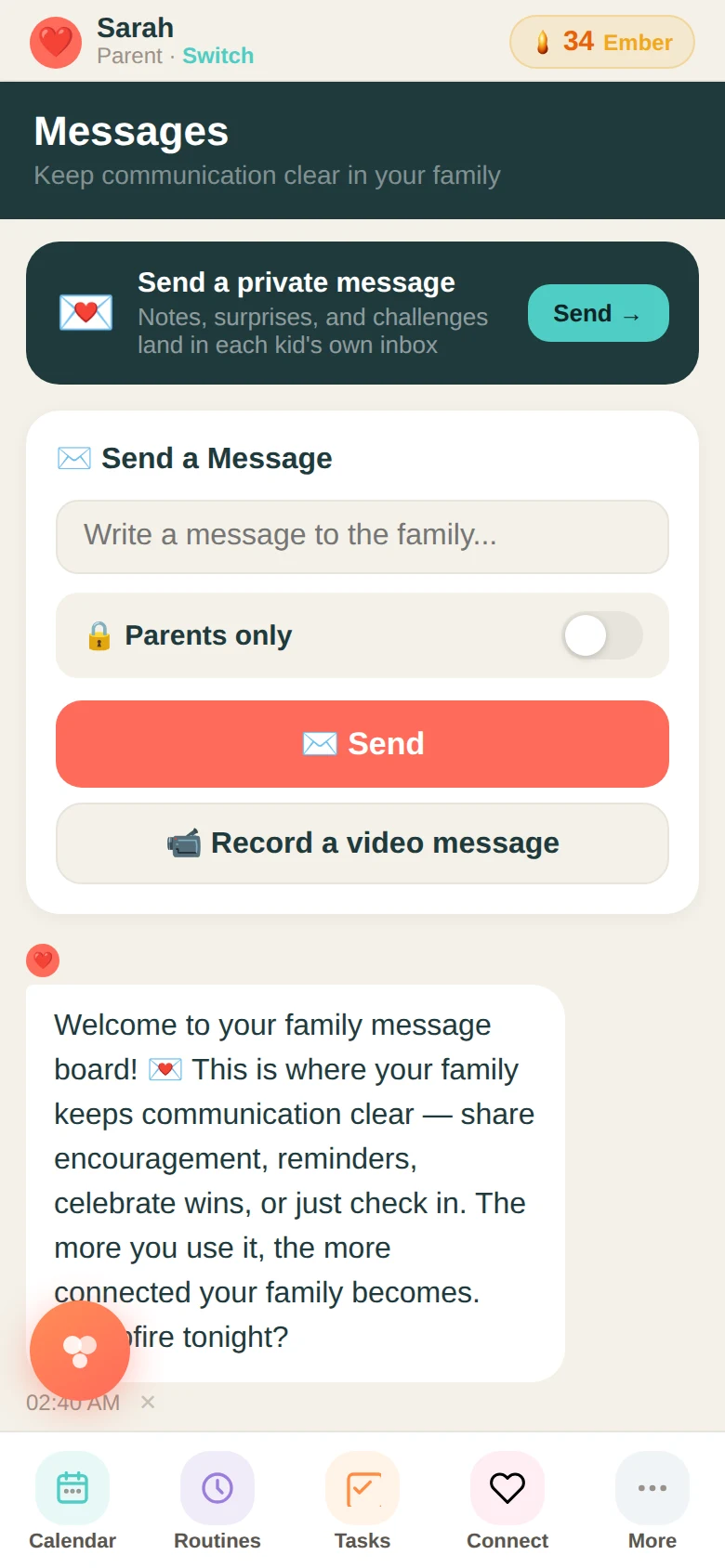
The Messages feature is a dedicated channel for your immediate family only. Parents, kids, and extended family members you've added — no one else. A video note, a text message, a voice recording. The feed is chronological. Everything stays.
Who can send what
Any family member can send a text message into the family feed. Parents can also record short video notes — up to 20 seconds — that play directly in the feed. There's a toggle for parent-only messages: things you want the adults in the household to see but not the kids. That filter applies automatically when a child views the feed.
Messages can have a title separate from the body, so you can label what a message is about without putting everything in the preview. Useful for longer notes or things you want kids to be able to find later.
Why a separate space matters
When family communication has its own space, it changes how it feels to send something. A quick encouragement to a kid, a heads-up about a schedule change, a video of something funny that happened — these things feel right to send in a family channel. They get lost in a general text thread.
It also gives kids a place to send messages to the family without navigating an adult inbox. A child who wants to tell their parent something but doesn't have a phone can leave a message in the app. It shows up in the family feed. Nothing is lost.
The parents-only filter
Some things in a family need to be communicated between the adults before they reach the kids. The parents-only toggle lets you send something into the family feed that only appears when a parent is logged in. Logistics, surprises, conversations about the kids — they stay private without needing a separate thread.
Ready to try it with your family?
Everything in this guide is already built into Family Basecamp — free to start, no card needed.
Build Your Legacy →