In most families, one parent carries the schedule. They know about the dentist appointment, the early pickup, the game that moved to Saturday, the work trip next Thursday. Everyone else finds out when it becomes relevant — or when it's too late.
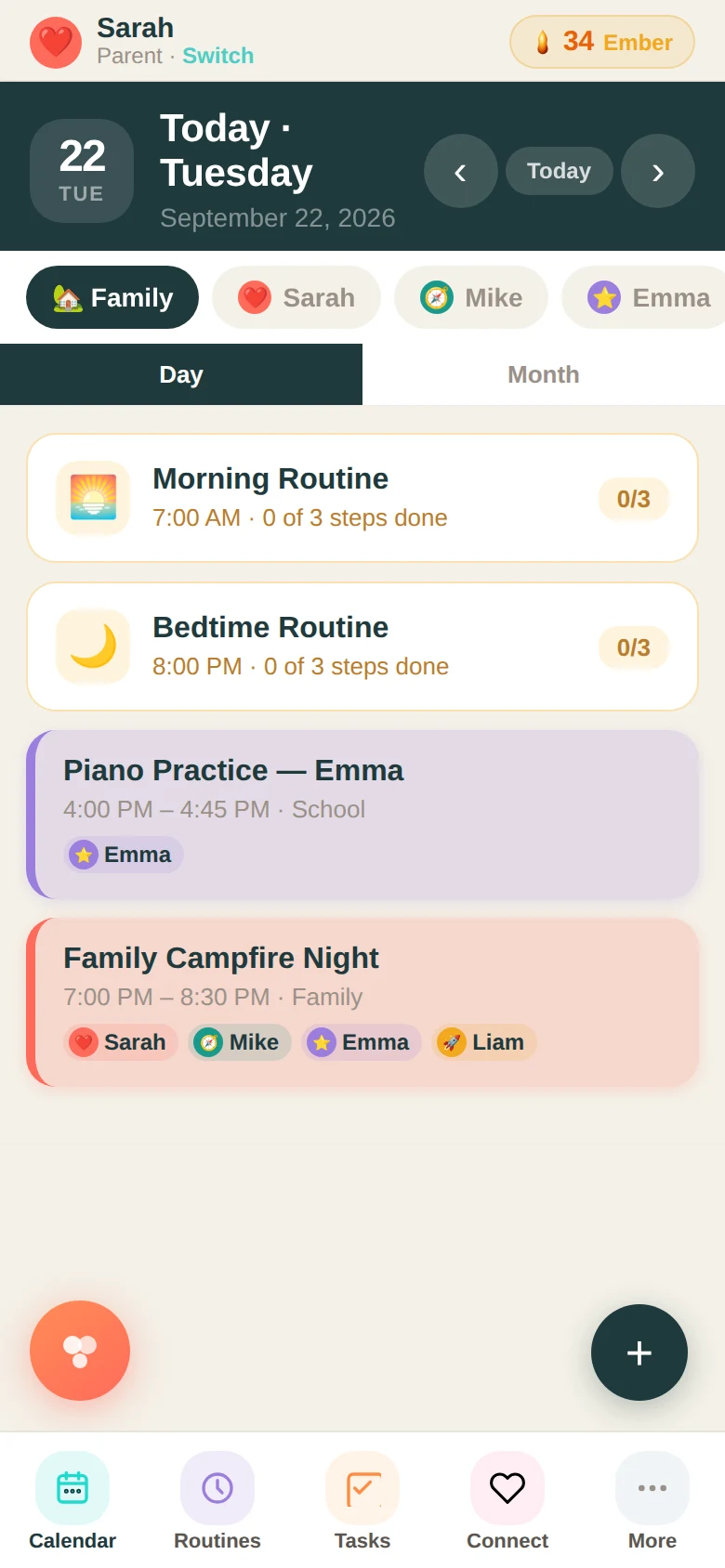
The Family Basecamp calendar is a shared view that every family member can see, organized by who's involved and what kind of event it is. When a parent adds something, it shows up for the whole family. Kids with their own view can see their events. Parents see everything.
How events work
Creating an event takes about thirty seconds. You give it a name, a date, a time, a category — school, health, faith, sports, family, work — and you choose who's involved. The calendar color-codes by category so you can scan the week at a glance and immediately see what kind of week it's going to be.
Events can repeat — daily, weekly, monthly — so things like a standing Wednesday practice or a recurring Friday pickup don't need to be re-entered every week. You add it once and it holds its place.
What the shared view changes
When the schedule is visible to everyone, a few things stop happening. The "I didn't know" conversations. The double-bookings that happened because two people were scheduling independently. The moment a kid finds out at 4 PM that something changed.
And some things start happening. Kids look ahead. They notice when something lands on a day they have a test. Parents in the same household stop needing to sync up verbally for every change — they just add it and it's there.
The family filter
On any given day, you can filter the calendar by person to see just your events, or see the full family view to understand how the week stacks up. The 7-day view shows you the shape of the week at a glance. Tap any event for details, edit it, or delete it. The whole system stays current in real time.
It's not magic. It's just information in the right place, available to everyone who needs it.
Ready to try it with your family?
Everything in this guide is already built into Family Basecamp — free to start, no card needed.
Build Your Legacy →